Beautiful Interface
Modern UI with dark mode support
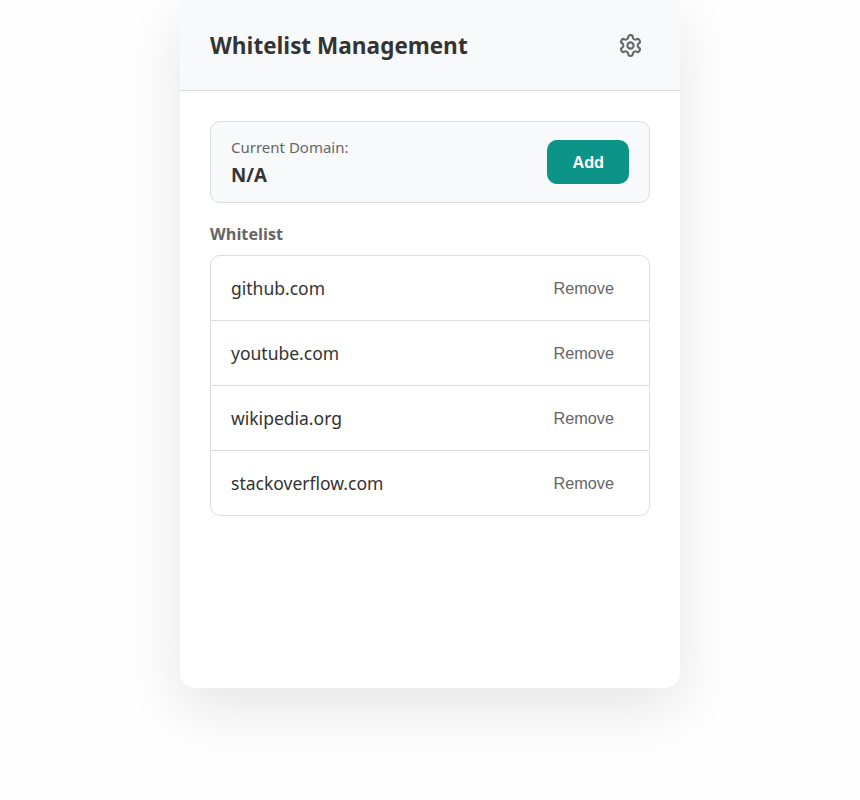
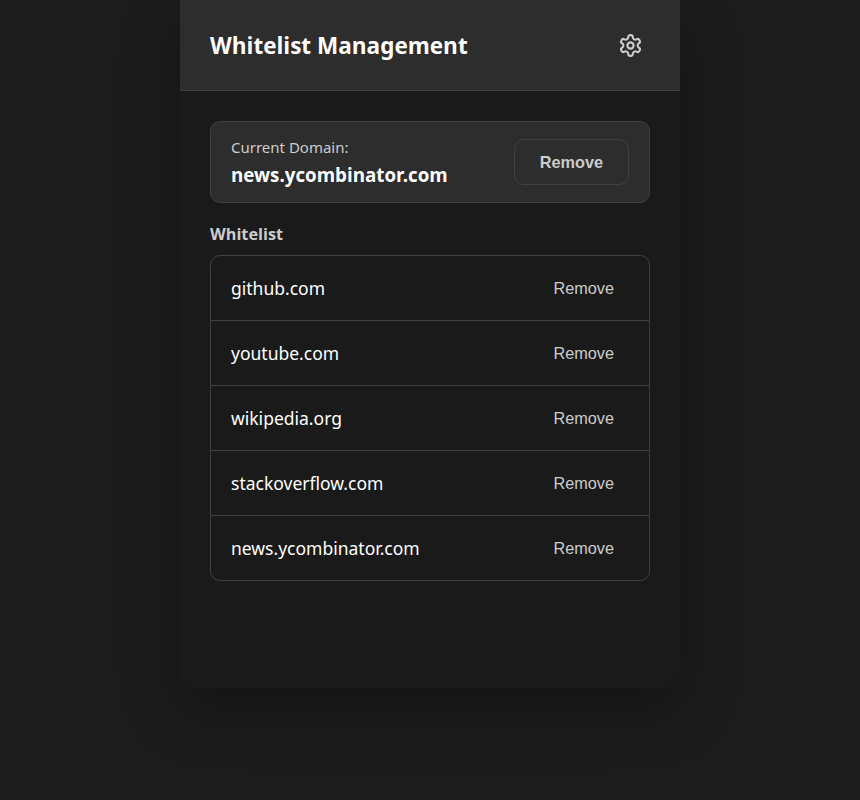
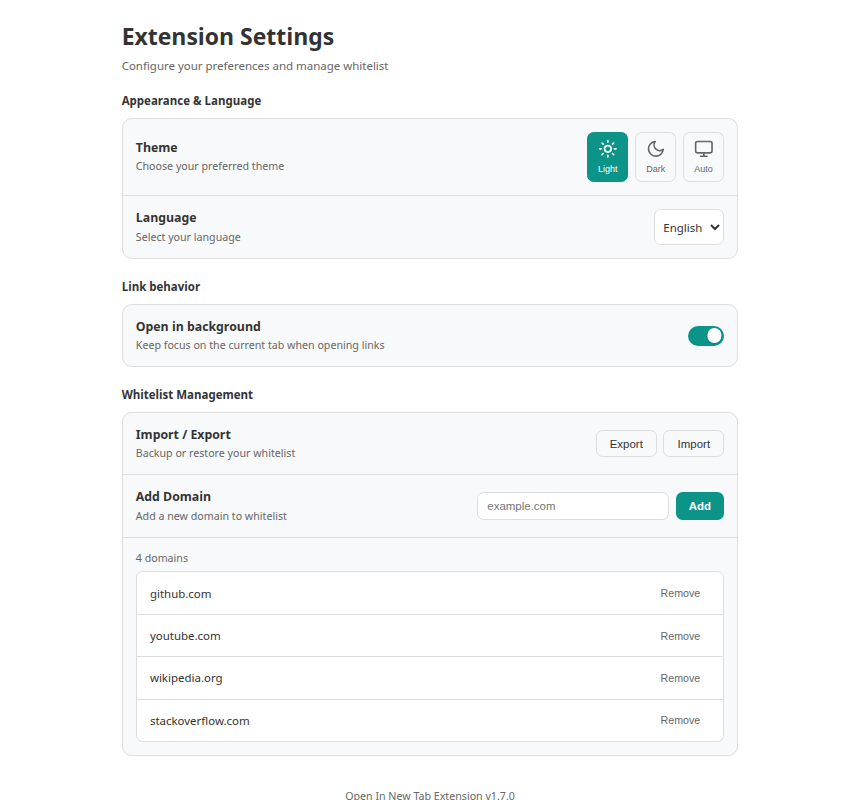
Force all links to open in new tab with intelligent whitelist control.
Available as Chrome extension and Tampermonkey userscript for opening each link in new tab.
Everything you need for smart link management
Only applies to specified domains for better control and performance. You decide which sites to enhance.
Handles both existing and dynamically added links using MutationObserver for real-time updates. Each link opens in new tab.
Adds rel="noopener noreferrer" to prevent security issues. Your browsing stays safe.
Automatically adapts to system dark/light mode preferences with smooth transitions.
Auto language detection (English / 简体中文 / 繁體中文) based on browser settings.
Your whitelist preferences are saved and synced across devices automatically.
Two implementations, same great features
Native Chrome extension with better performance and seamless browser integration.
Perfect for quick testing, development, or users who prefer Tampermonkey/Greasemonkey.
| Feature | Userscript | Extension |
|---|---|---|
| Link Management | ✓ | ✓ |
| Whitelist Control | ✓ | ✓ |
| Dark Mode | ✓ | ✓ |
| Internationalization | ✓ | ✓ |
| Installation | Manual Script | One-Click |
| Updates | Manual | Automatic |
| UI Type | Menu Commands | Popup Interface |
| Distribution | GitHub | Chrome Web Store |
Click 'Add to Chrome' to install instantly.
Click the extension icon to manage your whitelist.
Install the Tampermonkey browser extension from your browser's extension store.
Click the install button below to go to Greasy Fork and install the script with one click.
Navigate to any website, open Tampermonkey menu to add domains to whitelist.
If you prefer manual installation, download the script from GitHub and install it manually in Tampermonkey.
Modern UI with dark mode support
Short answers to what people ask before installing
It forces links on websites you choose to open in a new tab instead of the current one, so the page you are reading stays put. A whitelist decides which domains get this behaviour — nothing else on the web is touched.
The extension is built for Chrome and other Chromium-based browsers that support Manifest V3 — Edge, Brave, Opera and Vivaldi all work. Firefox and Safari users should install the Tampermonkey userscript version instead.
No. Links are only rewritten on domains you add to the whitelist. Every other site keeps its default behaviour, which keeps the change predictable and avoids breaking layouts you did not opt into.
Yes. A MutationObserver watches for newly inserted links, so content loaded by infinite scroll, a "load more" button or client-side navigation is handled the same way as the initial HTML.
No. Settings and the whitelist are kept in chrome.storage.sync, which stays inside your browser and syncs through your own Chrome account when signed in. There is no analytics, no third-party service and no server of ours involved.
Yes. It is released under the MIT license and the full source is on GitHub at github.com/shiroixw/OpenInNewTab.
Choose your preferred version and start managing your links smarter today.